21. Feed icon and page icons
Feeds (Atom and RSS) have images for decorating the displays of feed readers. I seem to have forgotten to add them to the feeds generated by Mismiy, so let’s do it now.
Icons for feeds
Atom defines atom:icon and atom:logo elements, with recommended aspect ratios of 1:1 and 2:1, which
‘should be suitable for representation at a small size’. They do not put numbers on ‘small size’,
and the expected size of icons has changed a lot since 2005.
Mismiy does not generate an RSS feed but for comparison,
RSS 2.0 has an channel/image element with oddly specific default size of 88×31 pixels and max size 144×400.
Practially speaking, feed readers like NetNewsWire use a square image as a site icon in the same way social media sites use a userpic. In the announcement that NetNewsWire is now getting feed images from RSS they suggest a minimum size of 128×128. (No mention of whether Atom icons will be used.) Other feed readers are available, of course.
Support in Mismiy entails adding fields to the schema for META.yaml for the icon and logo URLs.
Atom does not offer a way to indicate the image dimensions or give it its own title.
Icons for web sites (favicons)
Web sites have icons, sometimes for historical reasons called favicons, used by some browsers to decorate tabs or to represent pages from the site in bookmarks and the like. Apple and Google have also invented their own special icon sizes for when you turn a web page in to an icon on your phone’s home screen.
These do not require special treatment by the Mismiy program. They can be added as files to
the static directory and be linked to from a partial template used by all pages. Something like
the following:
<link rel="icon" href="/icon.svg" sizes="any" type="image/svg+xml">
<link rel="icon" href="/icon.32.png" sizes="32x32" type="image/png">
<link rel="icon" href="/icon.16.png" sizes="16x16" type="image/png">
<link rel="apple-touch-icon" href="/icon.180.png" sizes="180x180" type="image/png">
The consensus is there is no need to have 57 different sizes of apple-touch-icon, since Safari will do a perfectly adequate downsampling from the 180×180-pixel version. And yet we do seem to need the two sizes of favicon, since SVG support for favicons is still patchy.
Aside on creating image files
There is still the small matter of generating the images. I did not have a logo for the Mismiy site—up until now it has been an (almost) entirely text-based site. So I had to invent a logo for it.
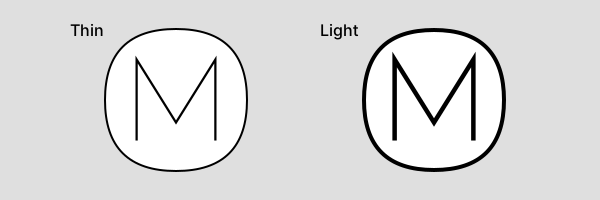
Hopefully I am not encroaching too much on some other brand whose logo is an M in a shape. It says something about my background that I preferred to write a tiny SVG file than to draw it in an image editor. The squarish oval is that it can be expressed concisely using SVG’s quadratic paths:
<svg  xmlns="http://www.w3.org/2000/svg" version="1.1"  viewBox="-72 -72 144 144" width="144px" height="144px">
    <path fill="#FFF" stroke="#000" stroke-width="2" d="M0,-71 q71,0 71,71 0,71 -71,71 -71,0 -71,-71 0,-71 71,-71z "/>
    <g transform="scale(1.125,1.125)">
        <path fill="none" stroke="#000" stroke-width="2" d="M-35,36 v-72 l35,56 35,-56 v72"/>
    </g>
</svg>
I chose 144 px for the size on the grounds this is the largest square that conforms to the RSS limits.
It seems that every time I need to convert SVG to a raster format
I use a different obscure software package. This time I discovered
to my surprise that macOS comes with a ready-made command sips
that can do this conversion.
sips -s format png enclosed.svg -o static/logo.144.png
Apple software likes to impose a uniform shape on icons itself, so
for the favicon and apple-touch-icon versions I made a borderless version,
replacing the oval shape with a simpple rect.
Posts on similar topics